OpenA2A CLI: one-command security reviews for AI projects
opena2a-cli: npx opena2a review is now npx opena2a-cli review and npm install -g opena2a is npm install -g opena2a-cli. The --min-score flag shown below is not accepted by opena2a-cli 0.10.13; a score floor for CI is not available.TL;DR: Run npx opena2a review in any project directory. You get a 0-100 posture score with credential scanning, configuration hygiene checks, dependency auditing, and actionable fix commands for every finding. No configuration required. Works with any AI project: MCP servers, LangChain apps, agent frameworks, or plain Node/Python/Go repositories.
The problem: silent security debt
AI projects accumulate security debt silently. A hardcoded OpenAI key gets added during prototyping and never removed. The .gitignore misses .env.local. A dependency ships with a known vulnerability, but nobody runs an audit. File permissions are too permissive, but nobody checks.
Developers know they should check these things. The problem is not awareness; it is friction. Running a credential scanner is one tool. Checking .gitignore coverage is another. Dependency auditing is a third. Configuration hygiene is a fourth. Each one requires different setup, different flags, different mental models.
The result is predictable: security reviews happen during incidents, not during development. By then, the API key has been in the git history for three months.
Common security debt in AI projects:
src/config.tsHardcoded API key from initial prototyping.gitignoreMissing entries for .env.local, .env.productionpackage.jsonDependencies with known CVEs, never auditedserver.keyPrivate key file with 644 permissions (world-readable)docker-compose.ymlDatabase password inline, not referencing env varThe solution: one command
opena2a review combines credential scanning, configuration hygiene, and dependency auditing into a single command. No configuration files. No setup steps. Point it at any project directory and it runs.
$ npx opena2a reviewThat is the entire workflow. The CLI detects your project type (Node, Python, Go, mixed), selects the appropriate scanners, and produces a structured report with a posture score.
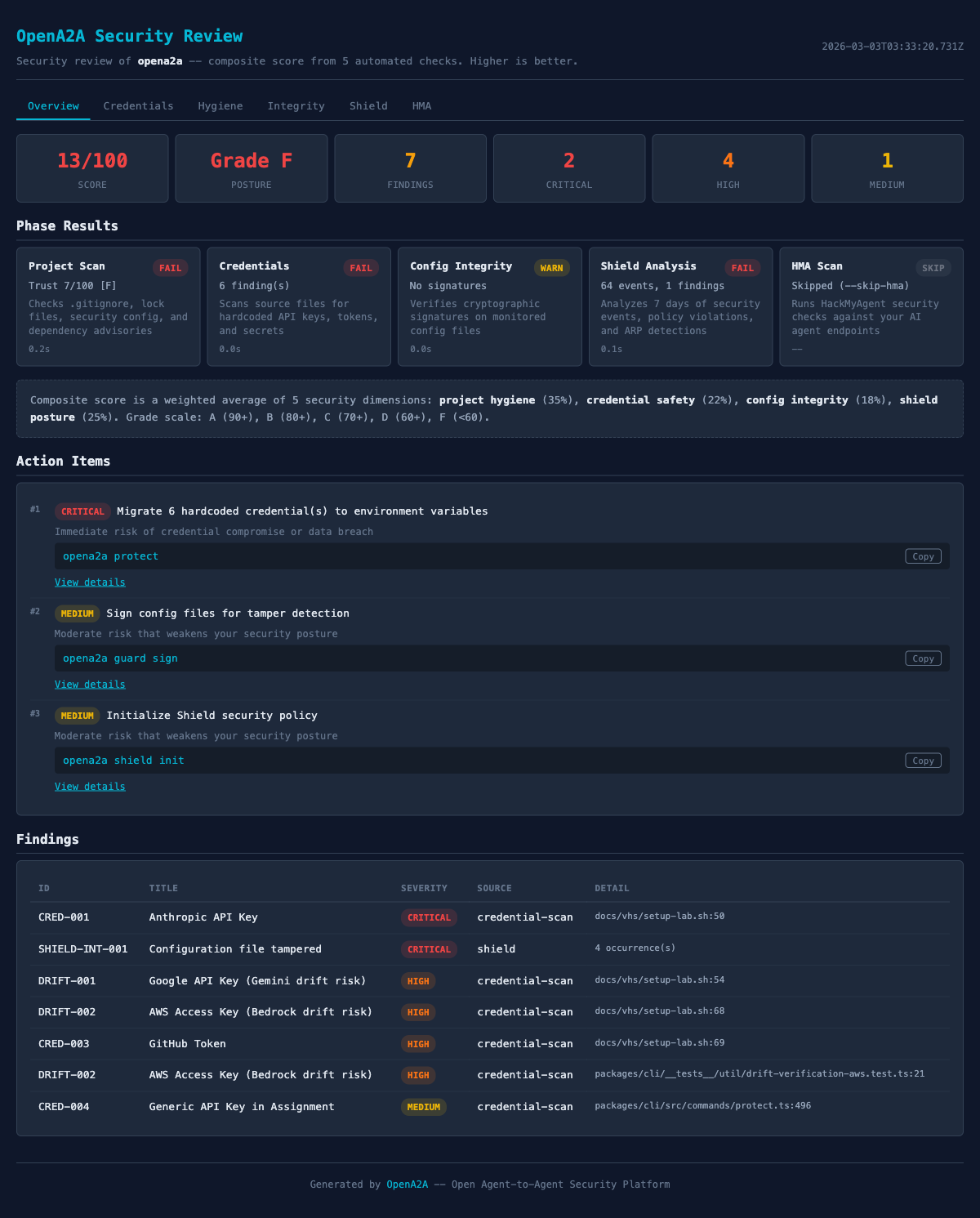
What the review checks
The review runs four categories of checks. Each category produces findings with severity levels, and each finding includes a fix command.
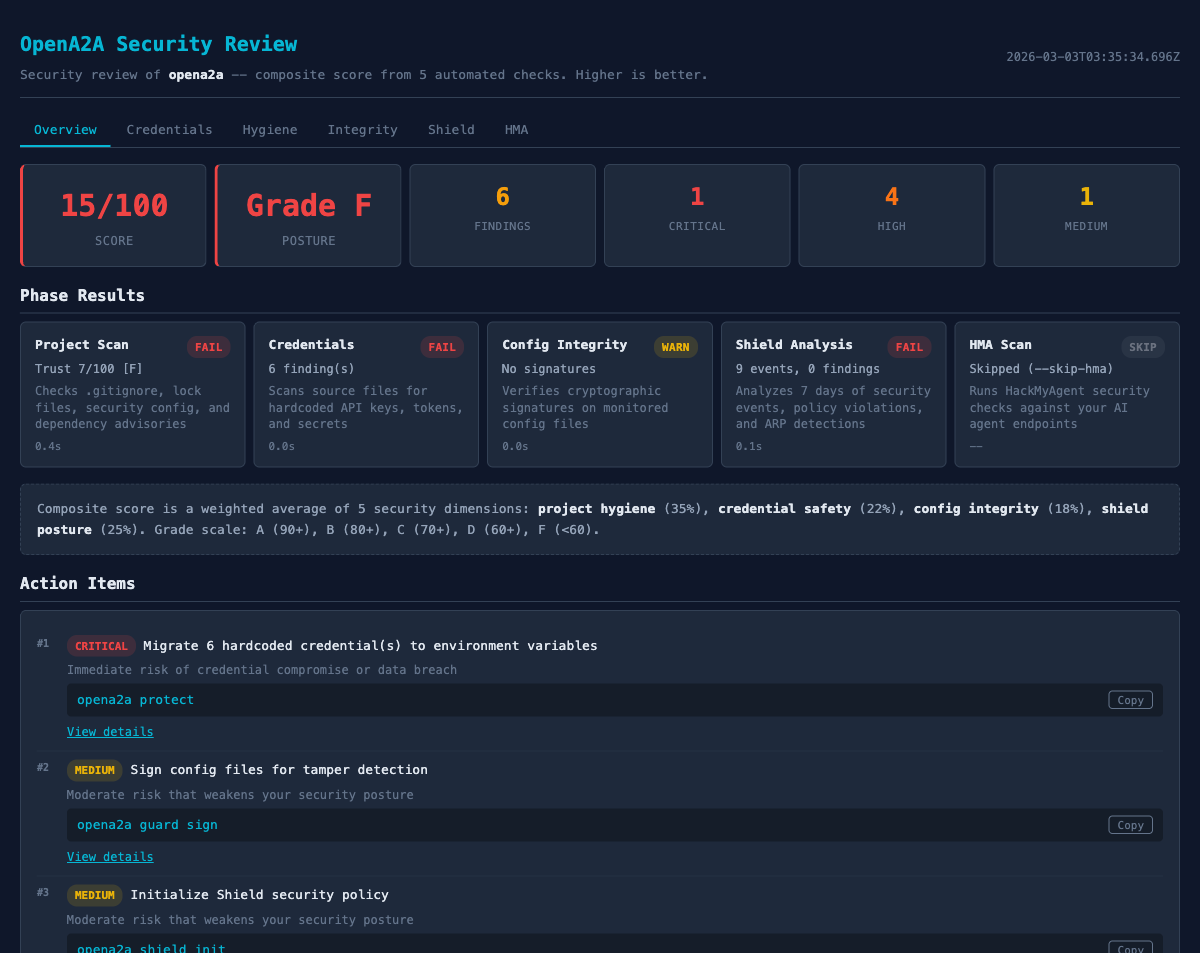
1. Credential scanning
Scans source files, configuration files, and scripts for hardcoded API keys, tokens, passwords, and connection strings. Uses pattern matching for over 40 credential types: AWS access keys, OpenAI tokens, Stripe keys, database URLs, JWT secrets, private keys, and more.
The scanner is aware of common false positives. Example values, test fixtures, and placeholder strings are filtered out. Each detected credential includes the file path, line number, and a masked preview so you can verify the finding without the report itself becoming a security issue.
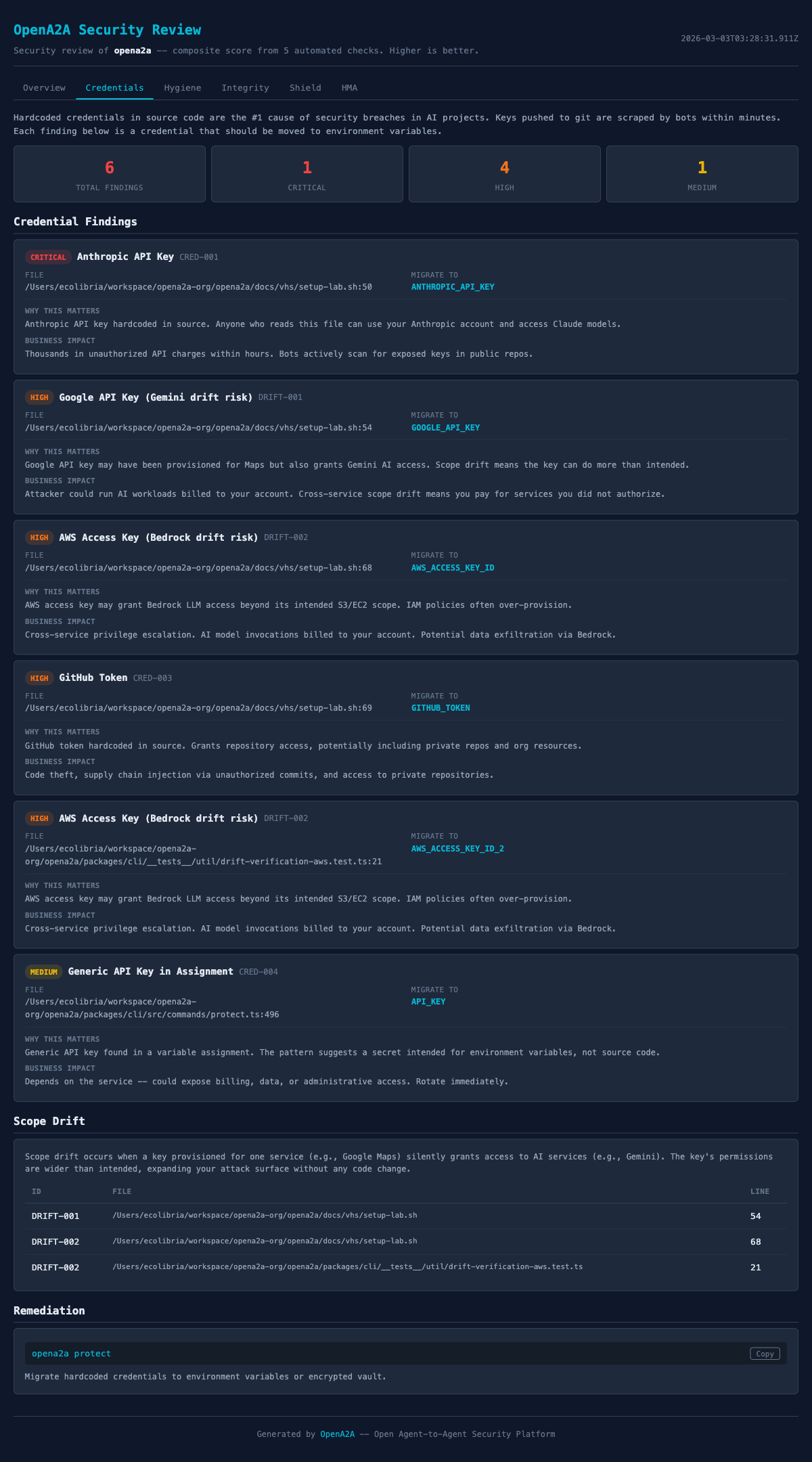
2. Configuration hygiene
Checks .gitignore coverage for sensitive file patterns (.env, .env.*, *.key, *.pem, *.p12). Verifies file permissions on private keys and certificates. Checks whether .env files exist without corresponding .gitignore entries. Validates that environment variable files use .env.example patterns for documentation instead of committing real values.
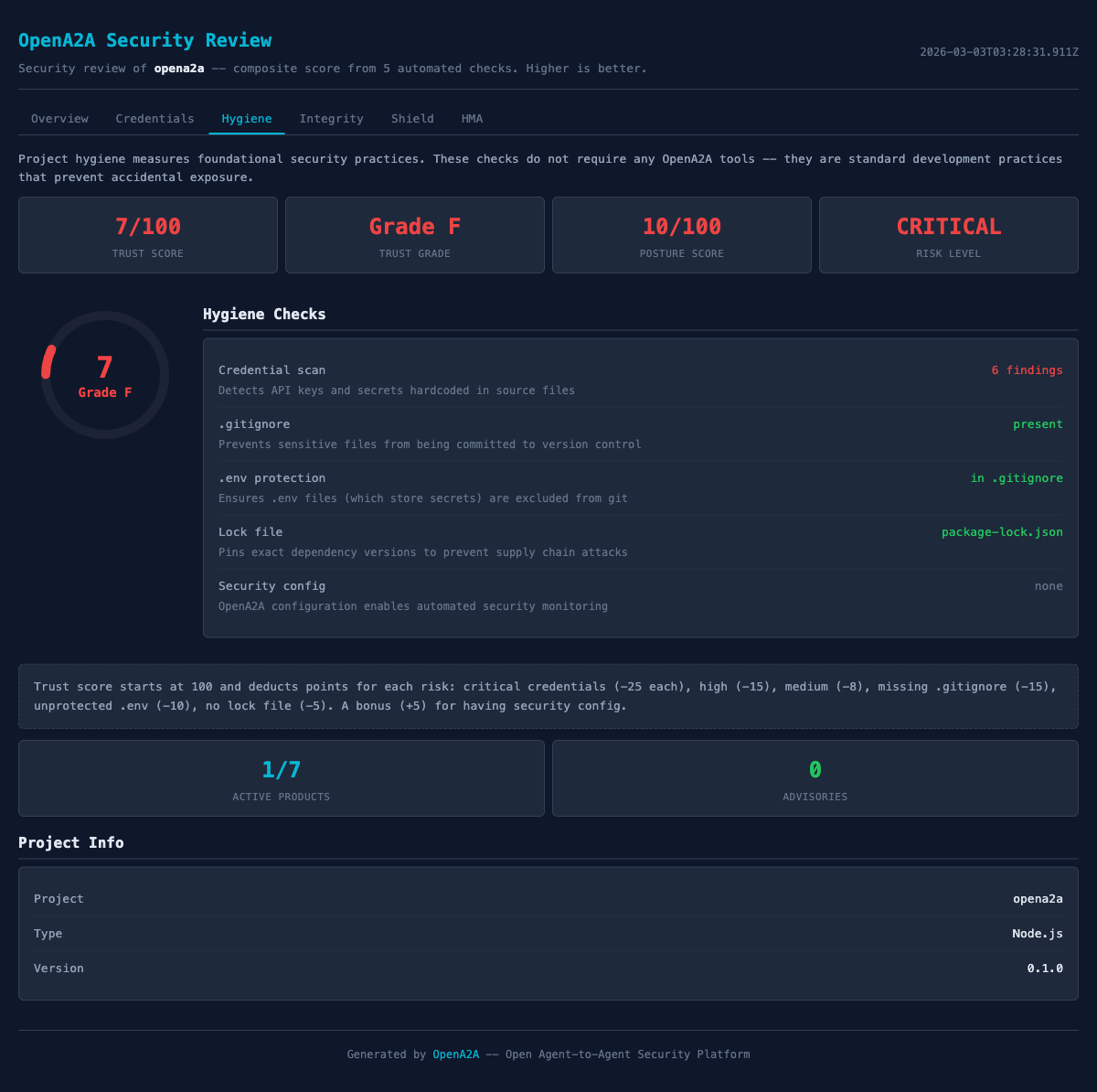
3. Dependency audit
Runs the native dependency audit for your project type: npm audit for Node projects, pip-audit for Python, govulncheck for Go. Results are normalized into a consistent format with severity levels (critical, high, moderate, low) and upgrade paths.
If the audit tool is not installed, the review notes the skip and suggests the install command. It does not fail; it tells you what to do next.
4. Posture scoring
Every finding contributes to a 0-100 posture score. The score starts at 100 and deducts points based on finding severity and count. Critical findings (hardcoded credentials) carry more weight than informational findings (missing optional .gitignore entries).
The report breaks down the score by category, so you can see where the biggest improvements are available. A project scoring 45/100 might show “45 → 78 by fixing 3 credential findings”, giving you a clear path to improvement rather than just a number.
How scoring works
The scoring system is weighted by severity. Each finding type has a base deduction, and findings compound within categories. The goal is to make the score useful for prioritization, not punishment.
| Finding Type | Severity | Deduction |
|---|---|---|
| Hardcoded API key in source | Critical | -15 per finding |
| Dependency with known CVE | High | -8 per finding |
| Missing .gitignore for .env files | Medium | -5 per finding |
| Permissive file permissions | Medium | -3 per finding |
| Missing .env.example documentation | Low | -1 per finding |
The report always shows the recovery path. Instead of “Your score is 38”, the output reads:
  Posture Score: 38/100
  Recoverable:   +47 points
  Potential:     85/100

  Fix credentials:   +30 (2 hardcoded keys)
  Fix dependencies:  +8  (1 critical CVE)
  Fix hygiene:       +9  (3 .gitignore entries)
This tells you exactly where to focus. The credentials category offers the largest improvement for the least effort. Fix two files and gain 30 points.
Every finding is actionable
Each finding in the report follows a three-part structure: WHAT happened, how to VERIFY it, and how to FIX it. No finding is a dead end. If the report says something is wrong, it also tells you the exact command to resolve it.
  CRITICAL: Hardcoded API key detected
  File:    src/services/openai.ts:14
  Match:   OPENAI_API_KEY = "sk-proj-...a3Bf"

  VERIFY:
    grep -n "sk-proj-" src/services/openai.ts

  FIX:
    1. Move to environment variable:
       export OPENAI_API_KEY="sk-proj-..."  # in .env
    2. Replace in source:
       const key = process.env.OPENAI_API_KEY
    3. Rotate the exposed key at:
       https://platform.openai.com/api-keys
MEDIUM: .env file not in .gitignore
File: .env.local (exists, 3 variables)
VERIFY:
git check-ignore .env.local
(empty output = not ignored)
FIX:
echo ".env.local" >> .gitignoreThe fix commands are copy-paste ready. For credential findings, the report includes the key rotation URL for the specific provider (OpenAI, Anthropic, AWS, Stripe, etc.) so developers can rotate without searching for the right settings page.
Getting started
The fastest way to try it is with npx, which requires no installation:
# Run without installing
$ npx opena2a review

# Or install globally for faster subsequent runs
$ npm install -g opena2a
$ opena2a review
The review runs against the current directory by default. You can also specify a path:
# Review a specific directory
$ opena2a review ./my-agent-project

# Review with JSON output for CI pipelines
$ opena2a review --format json

# Review and fail CI if score is below threshold
$ opena2a review --format json --min-score 70
JSON output for CI pipelines
The --format json flag produces machine-readable output for pipeline integration. The JSON includes the overall score, per-category scores, individual findings with severity levels, and the fix commands.
{
  "score": 38,
  "maxScore": 100,
  "recoverable": 47,
  "categories": {
    "credentials": { "score": 40, "findings": 2 },
    "hygiene": { "score": 71, "findings": 3 },
    "dependencies": { "score": 82, "findings": 1 }
  },
  "findings": [
    {
      "severity": "critical",
      "category": "credentials",
      "message": "Hardcoded API key detected",
      "file": "src/services/openai.ts",
      "line": 14,
      "fix": "Move to environment variable"
    }
  ]
}
A minimal GitHub Actions integration:
# .github/workflows/security-review.yml
name: Security Review
on: [pull_request]
jobs:
  review:
    runs-on: ubuntu-latest
    steps:
      - uses: actions/checkout@v4
      - run: npx opena2a review --format json --min-score 70
The --min-score flag causes the process to exit with a non-zero code if the score falls below the threshold, which fails the CI check. Teams can start with a low threshold (e.g., 30) and raise it incrementally as the codebase improves.
Try it now
One command. No configuration. Works in any project directory.
npx opena2a review